
Operating model
Retail
Exact catalog, barcode, inventory, purchasing, customer, and location control.
See the workflowOperating model
Exact catalog, barcode, inventory, purchasing, customer, and location control.
See the workflow
Operating model
Physical-ID and DOB procedure beside variants, stock, loyalty, and purchasing.
See the workflow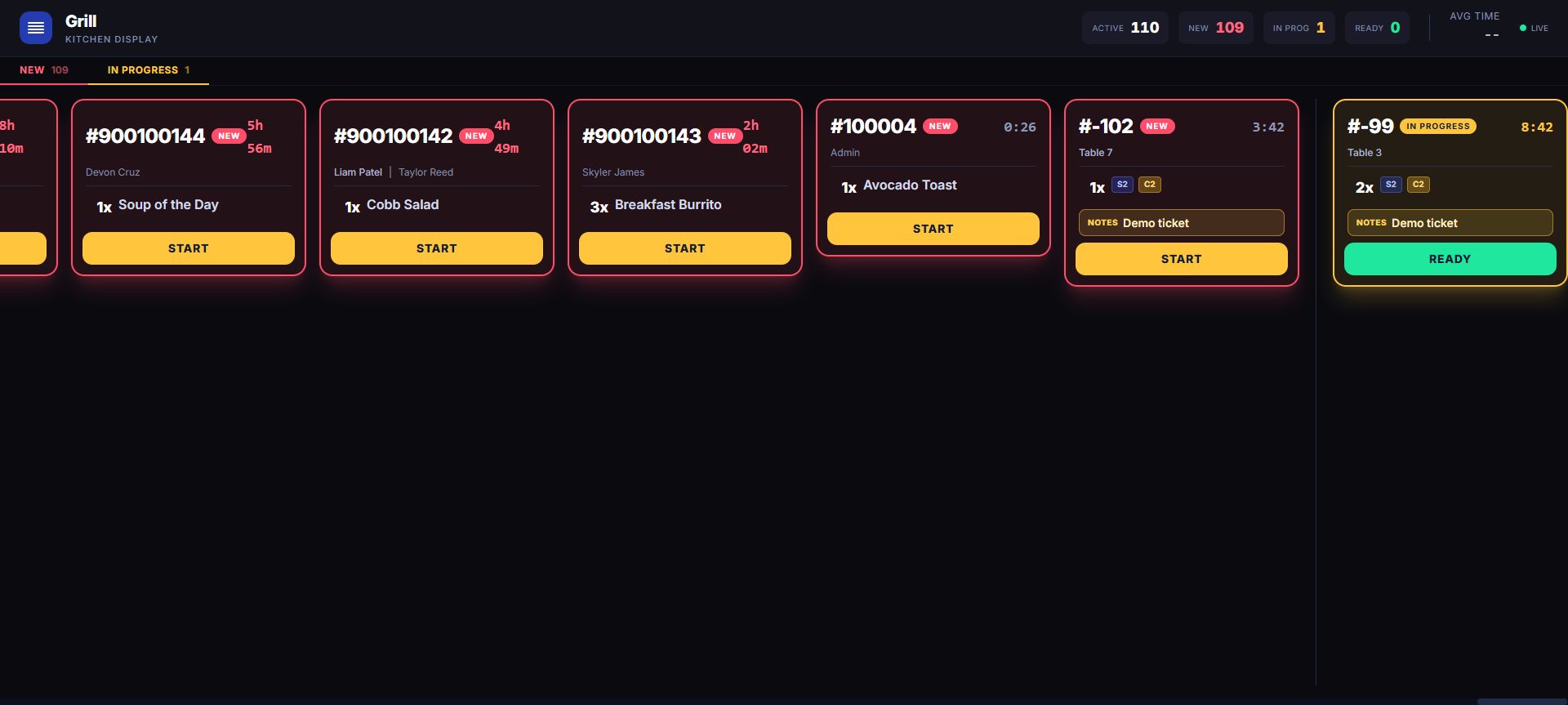
Operating model
Tables, modifiers, checks, kitchen production, waitlist, QR, and reporting.
See the workflow
Operating model
Table and check context plus bottle stock, pours, recipe depletion, and variance.
See the workflow
Operating model
Appointments, staff assignment, customer history, schedules, checkout, and retail stock.
See the workflow
Operating model
Retail catalog and restaurant production inside one tenant and owner view.
See the workflowA useful comparison
A credible industry demo should show the operating consequence, not only a different product grid.
Operating-model matrix
Industry fit is not a color theme. It is the relationship between what is sold, how work is routed, which controls must stay visible, and what an owner needs to reconcile afterward.
Variants, barcode lookup, selected-location stock, suppliers, purchase orders, transfers, customers, rewards, and transaction history share one catalog thread.
Explore retail POSProduct-level age rules add a visible physical-ID and date-of-birth decision to the retail workflow without claiming automatic ID scanning or legal certification.
Explore smoke shop POSTables, checks, modifiers, courses, recipes, waitlist, kitchen rails, QR intake, employees, and reporting give the order a production path beyond payment.
Explore restaurant POSCounter speed or table service can carry modifiers and recipes into kitchen or bar work while inventory, cash, customers, loyalty, and closeout remain connected.
Explore bar POSAppointments retain customer, service, assigned staff, duration, state, and notes while workforce scheduling and worked-time review stay distinct manager records.
Explore salon and spa POSRetail inventory and restaurant production can coexist inside one tenant so the shop, counter, floor, kitchen, customer, and owner do not need disconnected systems. Preserve both operating contexts.
Explore hybrid POSInspect both sides of the operation
The retail register and kitchen board below are current product captures. Use the live demos to follow each workflow into its own downstream record.
Find your operating fit
Choose the closest operating model, see the checkout and back-office workflows built for it, and compare adjacent models when your business crosses retail, restaurant, or service.
Use a live store to test it, then bring us the differences that make your business specific.