
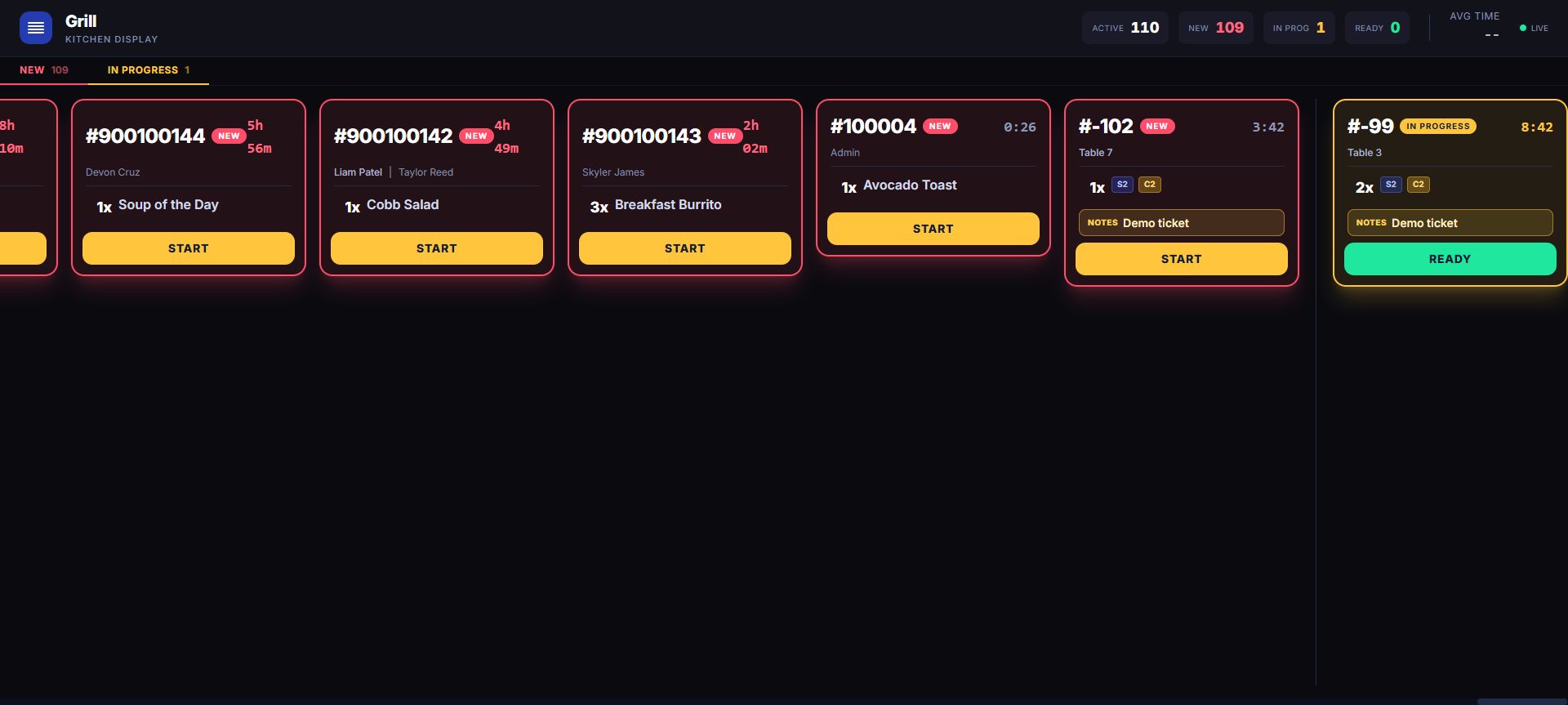
The source order retains item and modifier context while the active station view shows the production fields available to the team.

Build the item the customer actually ordered
Use menu sections, product search, variants, and modifiers to capture size, milk, flavor, add-ons, and preparation detail on the source order. The production team verifies each active ticket from the identity and state fields visible on its configured station view.
Connect recipes to component inventory
Recipe and component mappings let a sold menu item consume each configured ingredient. Suppliers, purchase orders, partial receiving, low-stock visibility, and physical inventory work then sit behind the same catalog instead of requiring a separate cafe spreadsheet.
Serve more than the counter
Customer profiles and loyalty support frequent guests, while the hosted storefront can publish eligible products and the online-order API can connect a separately built ordering channel. When configured, accepted work can join the kitchen queue; its source order retains the detailed item and modifier context.
See the shift and the day
Employee roles, schedules, time clock, timesheets, sales reporting, product performance, payment mix, and location views help an operator understand planned coverage and worked time beyond ticket count. Workforce scheduling remains separate from customer-order state.
Run the morning handoff before opening day
Build a modified drink, confirm its station and ticket detail, advance the whole kitchen ticket, inspect configured ingredient depletion, receive a partial supplier delivery, and reconcile one external order. That practical drill exposes configuration gaps before the real queue forms.
Rehearse the morning rush as connected records
Build a modified drink, verify the current product station, and follow the whole ticket through the kitchen rail. Inspect one configured ingredient movement and receive part of a supplier delivery. Bring in a controlled external order and keep payment evidence separate from queue state. Finally compare planned coverage with clocked time so menu, production, inventory, channel, and workforce records remain distinct but usable. Repeat the drill on the tablet actually planned for the counter. Include a modifier-heavy order and a missing-station fallback in the rehearsal.
Inspect in the live demo
Build a cafe order with modifiers, then inspect its source order and visible production state. Availability can depend on enabled modules, hardware, payment setup, role, location, and rollout configuration.
Move from the feature to the operation
This capability shares customer, employee, product, location, transaction, and reporting context with the rest of LiftedPOS. The value is not a checked box. It is the handoff the operation no longer has to rebuild.