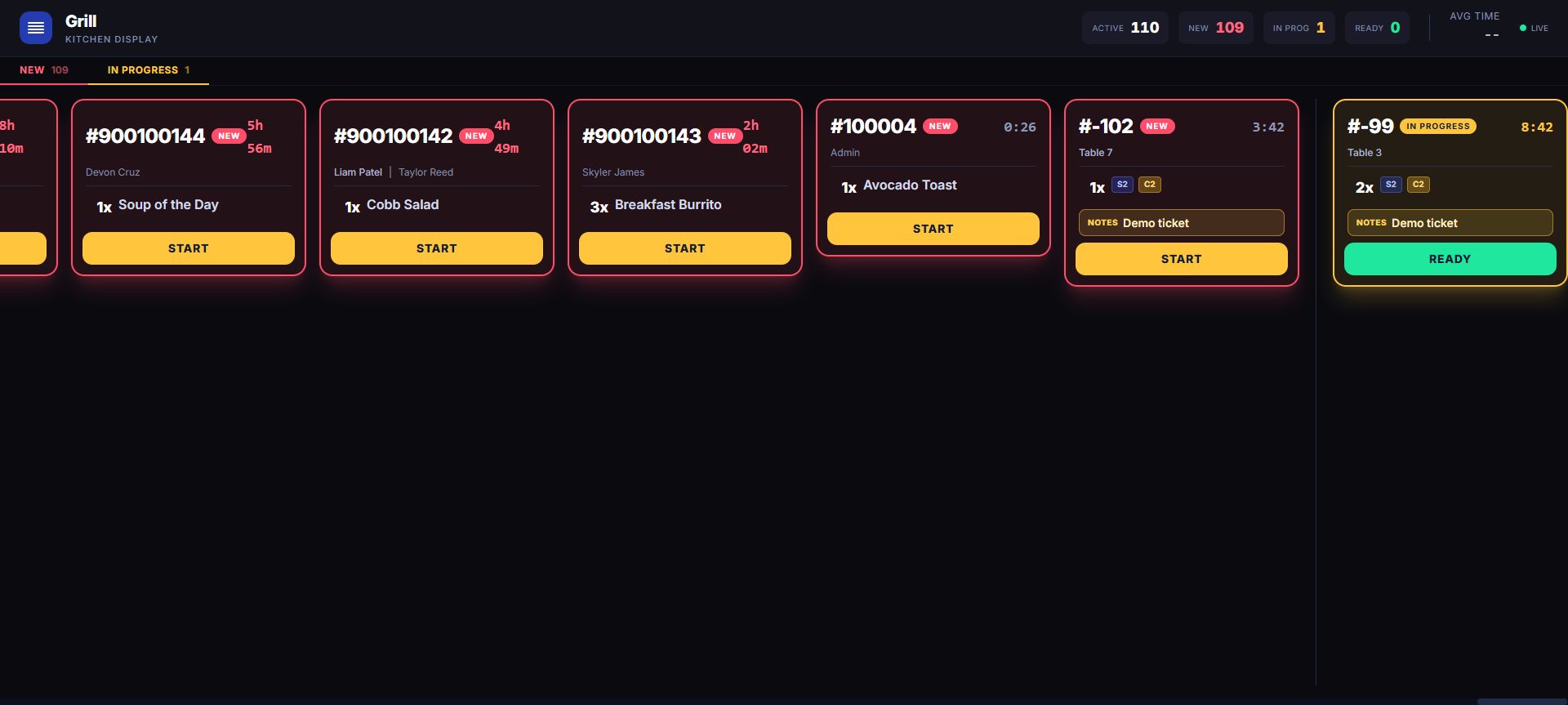
Paid and pre-payment work have different terminal states and recovery behavior.
Start with the rail the ticket is actually on
Paid-sale work follows New → In Progress → Ready → Completed. Pre-payment fires and accepted QR work follow New → In Progress → Ready → Served. They share an active board, but they do not share the same completion or recovery behavior.
Route each menu item to the team that owns it
Assign each menu item to the kitchen station that owns it, with a Kitchen fallback for anything not yet assigned. Confirm the station map against the real menu during rollout.
Bump the whole ticket, then confirm the board changed
The visible action advances the ticket as a whole. Eligible active paid-sale tickets can expose Recall before completion; pending and accepted QR tickets are forward-only on the current display. Staff verify the refreshed state instead of treating the button press as operating evidence.
Use attention cues to keep the line moving
Elapsed-time cues and optional sound help staff notice new work. Use the visible ticket state and the restaurant’s handoff procedure as the operating record.
Verify both ticket paths with your real menu
Fire one paid ticket, one pre-payment ticket, and one accepted QR order with modifiers and multiple station assignments. Confirm the fallback Kitchen route, whole-ticket bump behavior, eligible paid-ticket recall, forward-only rails, and the record left after work exits the active board.
Rehearse the complete kitchen handoff before service
Create a paid sale, a pre-payment fire, and an accepted QR test order with representative modifiers and more than one configured station. Confirm each item appears on the intended view, the Kitchen fallback catches anything unassigned, the team owns the whole-ticket action, eligible recall works, and the distinct Completed and Served endings are understood.
Inspect in the live demo
Create a restaurant order, open Kitchen, select the exact station view, and verify each whole-ticket state change. Availability can depend on enabled modules, hardware, payment setup, role, location, and rollout configuration.
Move from the feature to the operation
This capability shares product, table or order, ticket, sale, and employee context with the restaurant workflow. Station filtering is tenant-scoped in the current product, so multi-location topology belongs in rollout acceptance.