Product analysis · July 26, 2026 at 3:00 PM CDT · Standards
Current specialty workflows
Inside four specialty POS workflows in LiftedPOS
A LiftedPOS product report documents current self-service ordering, recipe inventory, restaurant waitlist, and bar pour-control workflows.
- Filed by
- LiftedPOS Product Team
- Date
- Published
- Revision
- Updated
A product report on four current workflows
This July 26 vendor product report documents currently verified workflows in LiftedPOS for counter-service, restaurant, and bar operators. It links each workflow to the supporting product page and does not represent a new release, rollout, or customer result.
The four workflows solve different handoff problems. A kiosk moves a guest-built order to staffed checkout. Recipe inventory moves a prepared-item sale into measured ingredient stock. A waitlist moves a party into a currently available table. Pour control moves a drink sale into expected bottle depletion and a manager-owned variance review. The useful buying question is not whether each screen exists; it is whether the record survives the handoff that matters to the operator.
A kiosk order is a staffed handoff, not unattended checkout
The self-service kiosk lets guests browse the merchant-configured public catalog, build a cart, and submit a numbered order. The server resolves the selected products and current prices before accepting that order, so the public browser is not treated as the authority for merchandise value. The resulting server-priced order number gives the counter team a specific record to find instead of asking the guest to describe an anonymous cart.
Payment stays with staffed checkout in the current workflow. That keeps configured tender, receipt, product-level age checks, and exception controls with the employee completing the sale. A buyer should test the planned guest device, public item set, unavailable stock, a changed price, an abandoned cart, and the staff recovery path. The guest path still ends at a staffed payment decision and does not prove that one interface fits every counter-service model.
Recipe inventory is only as accurate as the ingredient model
Recipe and ingredient inventory maps a prepared item to the tracked or intentionally untracked components used to make it. Configured sale-time depletion can move ingredients in fractional units, which lets a drink, sandwich, or prepared item consume the quantity the business defined instead of subtracting a whole retail unit. At-risk and estimated-servings signals can then show which configured component is limiting the next serving.
The signal is an operating prompt, not a promise to eliminate food waste. Units, yields, mappings, receiving, transfers, counts, and staff discipline still determine whether expected inventory matches the shelf or walk-in. A serious evaluation should build one representative recipe with a fractional component and one untracked component, complete sample sales, inspect depletion, and compare the system quantity with a physical count. That test reveals whether the ingredient model is understandable enough for the people who must maintain it.
Waitlist state should agree with the live floor
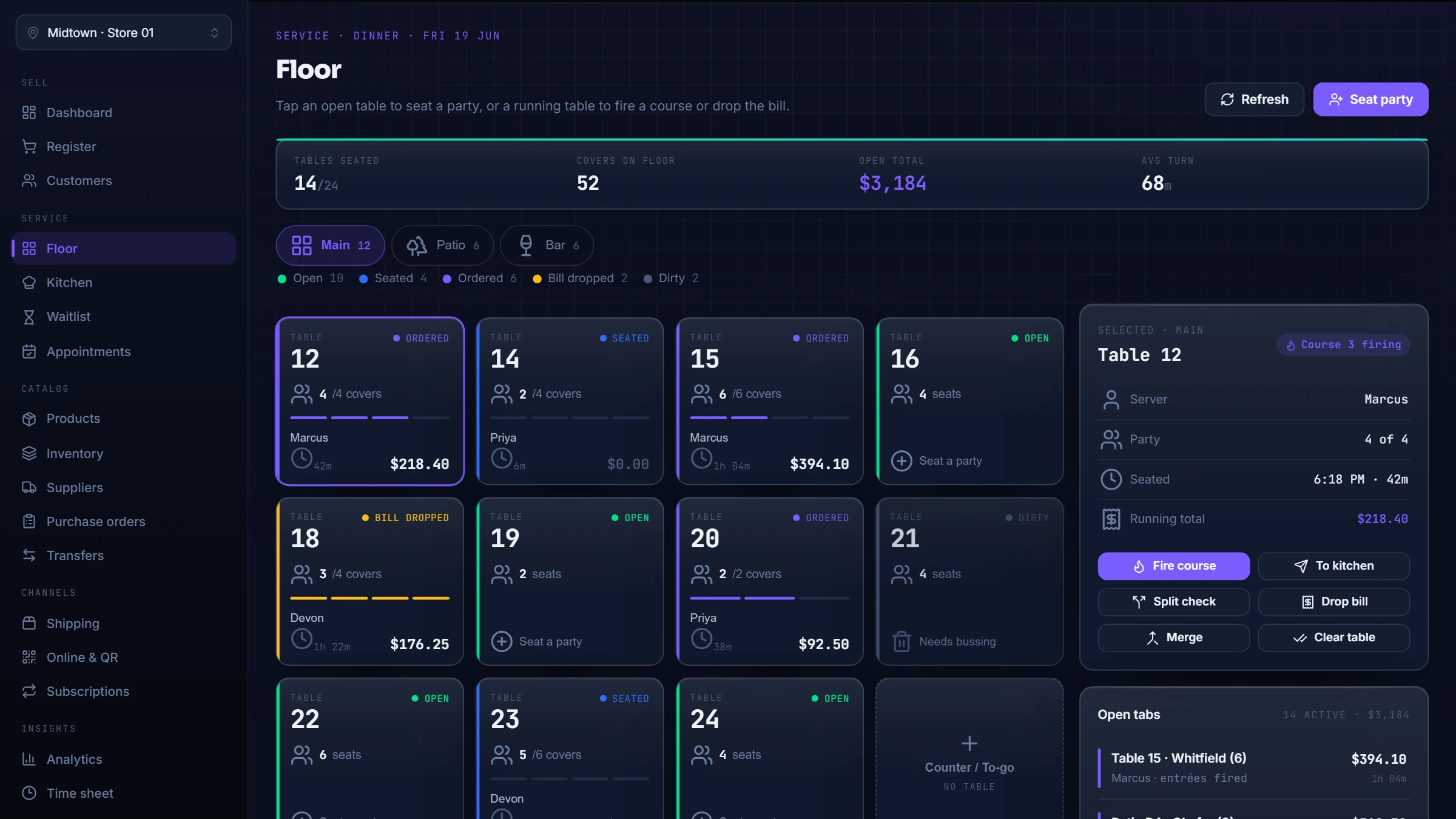
The restaurant waitlist keeps guest name, party size, phone, notes, and quoted wait on one front-door record. Waiting, Notified, Seated, Cancelled, and No Show make the next action visible while the dining room changes. Seating checks the party and the currently available table together so the queue can move into the floor workflow without leaving another active version of the same party behind.
Configured messaging can attempt an SMS notification and surface a failure, but the Notified state records staff action rather than carrier delivery proof. A buyer should rehearse multiple party sizes, the quoted-wait policy, a controlled notification failure, seating against an available table, and a table-state conflict. The useful outcome is not a guarantee of faster seating; it is a shared record that lets the host team explain the queue and recover when the floor changed after it was first viewed.
Pour variance starts an investigation; it does not name a cause
Bar inventory and pour control connects a sellable drink to one or more liquor items through measured milliliter quantities. A completed sale can apply that recipe as fractional bottle depletion. At count time, the closing manager can combine sealed spares with the observed amount in an open bottle instead of rounding every shelf position into whole units.
LiftedPOS can compare the system quantity with the physical count and show directional variance plus estimated cost context. That is a question for management to investigate, not real-time bottle telemetry and not proof of theft, overpouring, breakage, or a bad recipe. Evaluation should use known bottle sizes, a representative pour recipe, sample drink sales, and an observed closing count. The merchant should also name who reviews the variance and how that person records the next action.
What to inspect before buying
Start with ownership. Decide who publishes the kiosk catalog, who maintains recipes and units, who controls the waitlist and table states, and who reconciles bottle counts. Then follow one difficult record through the complete handoff. A polished screen is not enough if a changed price, unavailable item, notification failure, count difference, or staff shift leaves the next person without a clear record.
Next test boundaries instead of only golden paths. Confirm that the kiosk finishes at staffed payment, recipe accuracy depends on configured components and physical counts, the waitlist does not turn a messaging attempt into delivery proof, and bar variance does not invent a cause. These boundaries make the product easier to trust because the buyer can see which decisions belong to LiftedPOS, which belong to configuration, and which still belong to the operator.
Bring one hard workflow to the demo
A useful demo should resemble the business being evaluated. Bring a difficult modifier or age-gated item for the kiosk handoff, a prepared item with fractional ingredients, a front-door conflict between party size and table state, or a bottle-count scenario with an open container. The public demo provides safe seeded product context; a scoped conversation is where merchant-specific hardware, permissions, messaging, payment, and rollout questions are qualified.
LiftedPOS is designed to connect these specialty records to the same operation as checkout, inventory, customers, employees, purchasing, and reporting. The sales outcome is not four more feature checkmarks. It is knowing whether the handoff can be configured, taught, observed, and reconciled by the team that will run it after launch.